Introduction
If you want users to be able to create or update data and then expose that data to the specified resource, you must create an Expose Post Web API file so you can add, edit, or delete the fields you want to expose.
Prerequisites
- The entity on which the Web API is to be based must already exist .
- The expose Web API file with the same name must not already exist.
|
Quick Steps |
| 1 |
Click the Create New Item icon |
| 2 |
Select the Object Type, then select the Web API Type |
| 3 |
Enter the Expose Web API details, then click Next |
| 4 |
Add the desired fields, then click Finish |
Detailed Steps
Step 1. Click the Create New Item icon.
This opens a drop down from which you can select an object to begin its item wizard. The item wizard creates a file or files.
Step 2. Select the Object Type, then select the Web API Type.
This is the object or objects you are creating. Here, you are creating an Expose Web API file.
Step 3. Enter the Expose Web API details, then click Next.
Important properties are:
- Entity: The Web API is based on the entity. The fields to be exposed will be mapped to this entity's attributes.
- Name (ID): Programmatic ID of the file. It populates automatically, but you can modify it. It will always be prefixed with apiPost.
- Mode: Determines whether the file sends data (POST) or receives data (GET).
- Folder: This is where Xelence will save the file. You can select an existing folder or create a new one.
Step 4. Add the desired fields, then click Finish.
Xelence uses the entity the Web API is based on to expose the available fields. Select the fields you want and click the Add button.
You can also add the XML Method to expose the desired data.
The fields are added. Click the Finish button to create the file.
Xelence creates and displays the Expose Web API file which should look something like this:
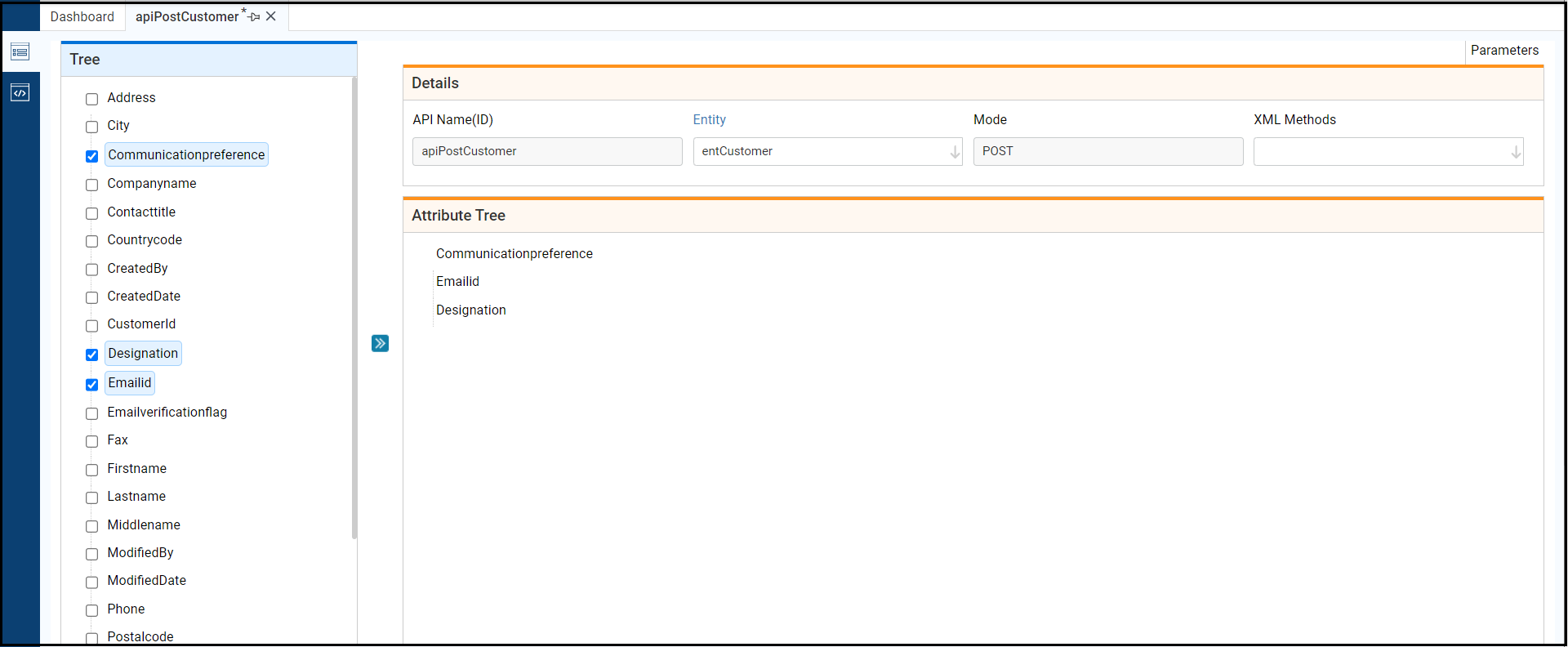
The file is considered usable without further configuration, but usually your business needs require customizing it.
What are the improvements over S3 Version 6?
This is a new process.
Related Articles
Edit the Expose Post Web API File
Test the Expose Post Web API File
This post is part of the Web API topic. Click here to open Web API Overview
#Develop
#Development Studio
#Xelence
#WebAPI
#API
#Task Steps
#Everyone
#Text Help